Direct Download URL
Type this URL in the Downloader app exactly as shown:
https://www.iptvsmarters.com/smarters.apkVisual Setup Guide
1
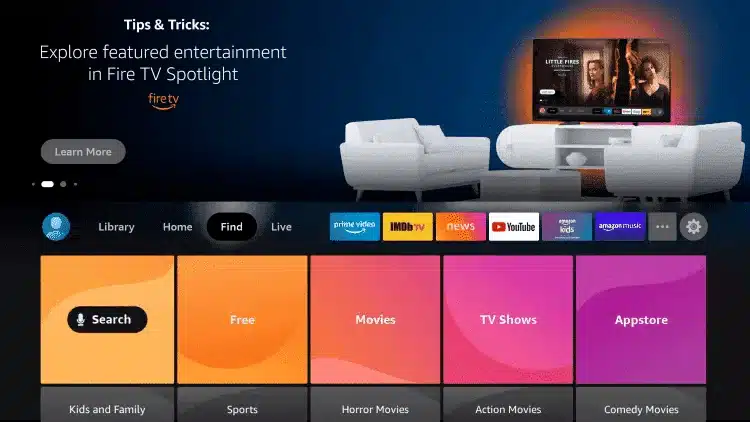
From the home screen of your device, hover over the Find option.
2
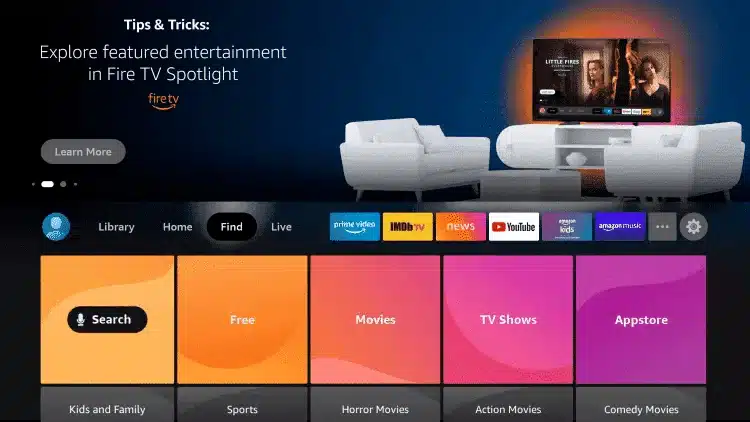
Click Search.
3
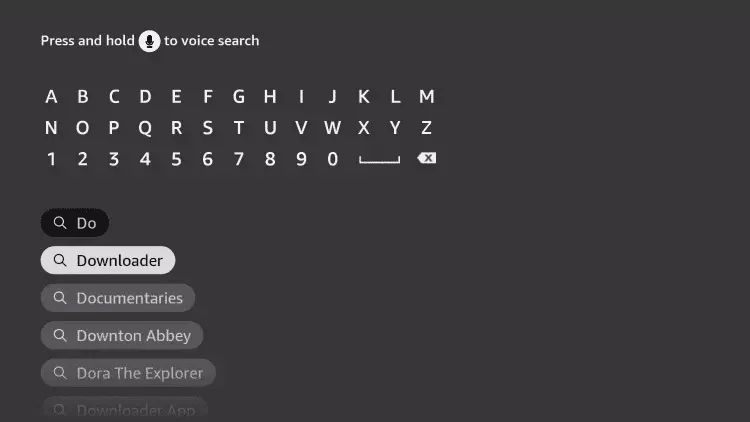
Search for and select Downloader.
4
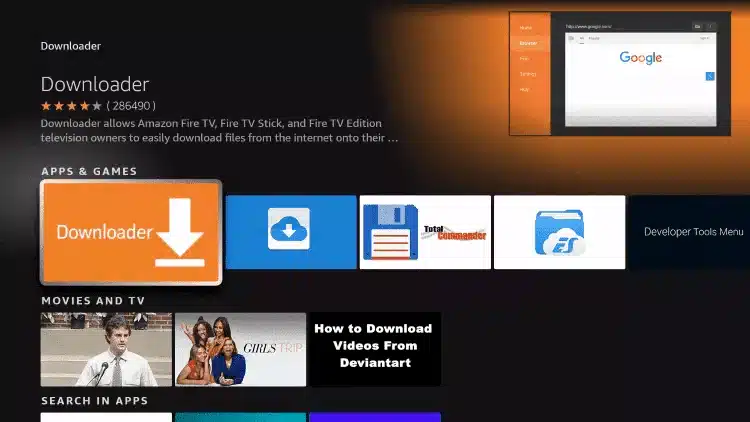
Choose the Downloader app.
5
Click Download.

6
Once the app finishes installing click Open.

7
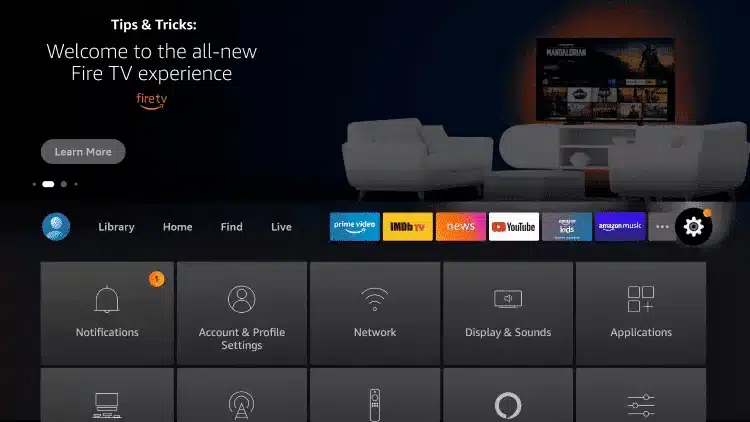
Return to the home screen and open Settings.
8
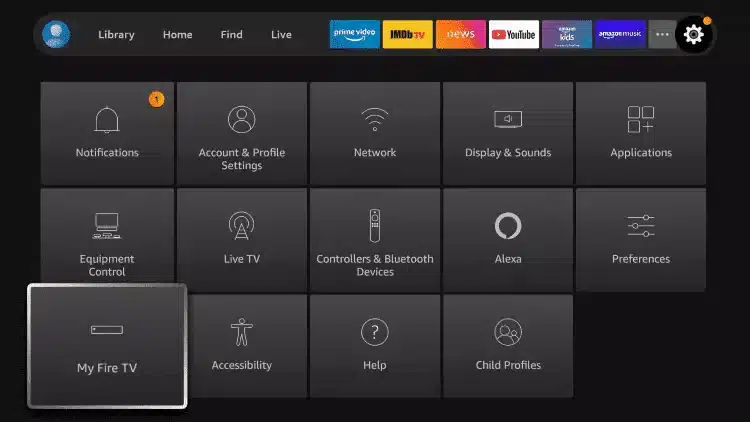
Click My Fire TV.
9
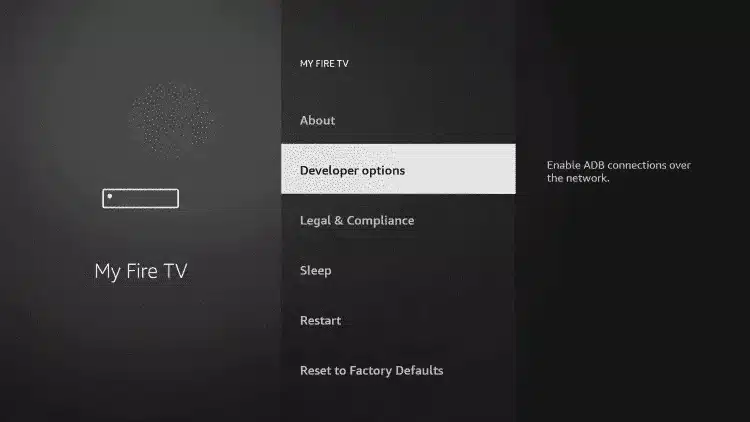
Choose Developer options.
10
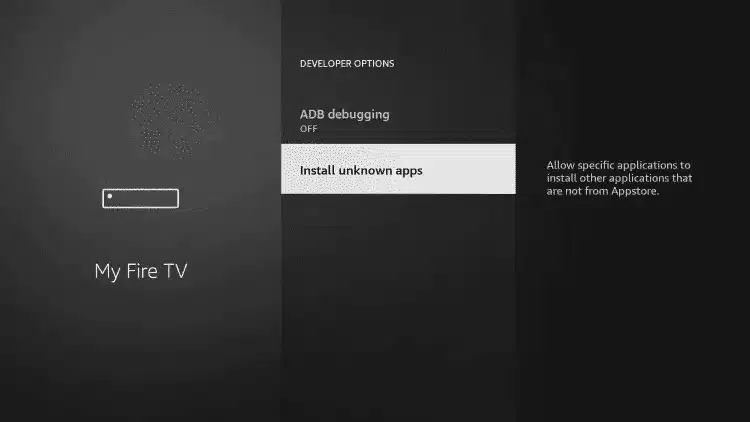
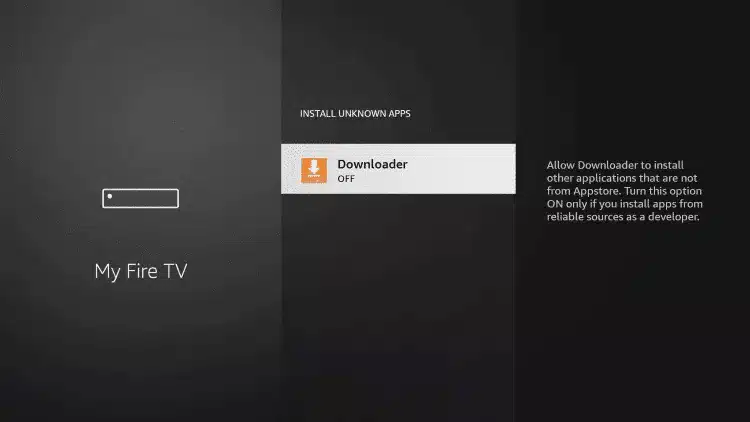
Click Install unknown apps.
11
Find the Downloader app and click it to turn it ON.
12
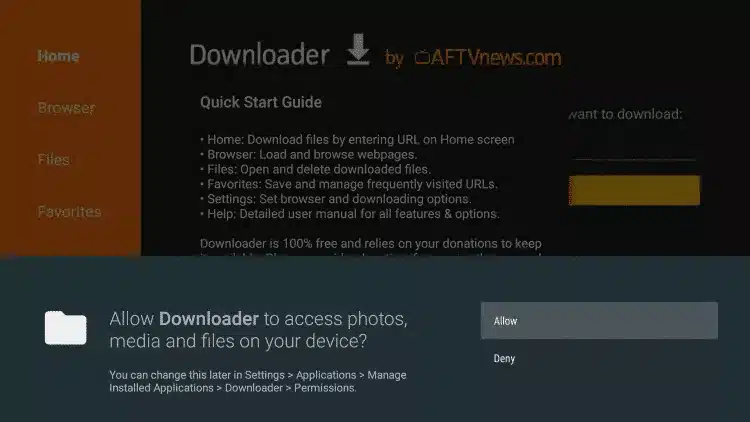
Launch Downloader and Click Allow.
13
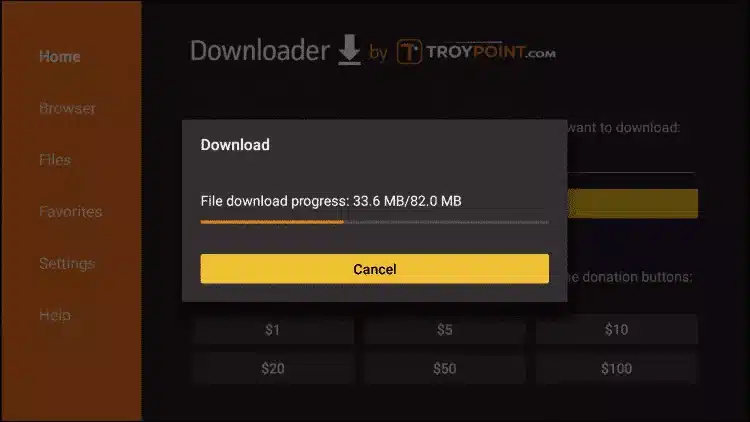
Enter the Smarters URL: https://www.iptvsmarters.com/smarters.apk

14
Wait for file to download and click Install.
15
Open IPTV Smarters then select Login with Xtream codes api.